
Table of Contents

The graveyard business is booming, and you’re the new manager in charge of the most unhinged medieval cemetery simulation ever created. Before you dive into the macabre world of Graveyard Keeper 2, ensuring your hardware is up to the task is essential for a smooth, glitch-free experience. Understanding the Graveyard Keeper 2 system requirements is the first step in your journey to becoming the ultimate undead master.

Whether you are planning to automate your corpse-processing empire or lead your zombie army into a full-scale battle for the town, performance matters. In this guide, we break down exactly what you need under the hood to keep your production chain running without a hitch.

Understanding Graveyard Keeper 2 System Requirements

When developers at Lazy Bear Games build a world this dense with pixel art, automation systems, and complex character interactions, they create specific demands for your computer. The official Graveyard Keeper 2 system requirements provide a baseline, but "meeting" them is only part of the story.

To help you gauge your current setup, we have categorized the hardware needs based on the official Steam data.

Component Minimum Requirements Recommended Requirements
OS Windows 10 (64-bit) Windows 10 (64-bit)
Processor Intel Core i3 (13th Gen) Intel Core i5 (13th Gen)
Memory 6 GB RAM 8 GB RAM
Graphics GeForce GTX 1650 GeForce RTX 3060
DirectX Version 12 Version 12
Storage 4 GB Available Space 4 GB Available Space

Why Processor Power Matters

The game relies heavily on simulation logic—keeping track of every zombie worker, resource node, and building project simultaneously. While an i3 might get you through the early game, an i5 or better will ensure that as your graveyard expands and your town restoration progresses, the simulation doesn't stutter when you have dozens of undead helpers moving across the screen.

Optimize for Simulation If you notice frame drops during complex automation cycles, try closing background applications like web browsers or recording software to free up CPU cycles for the game's background logic.

Graphics and Visual Fidelity

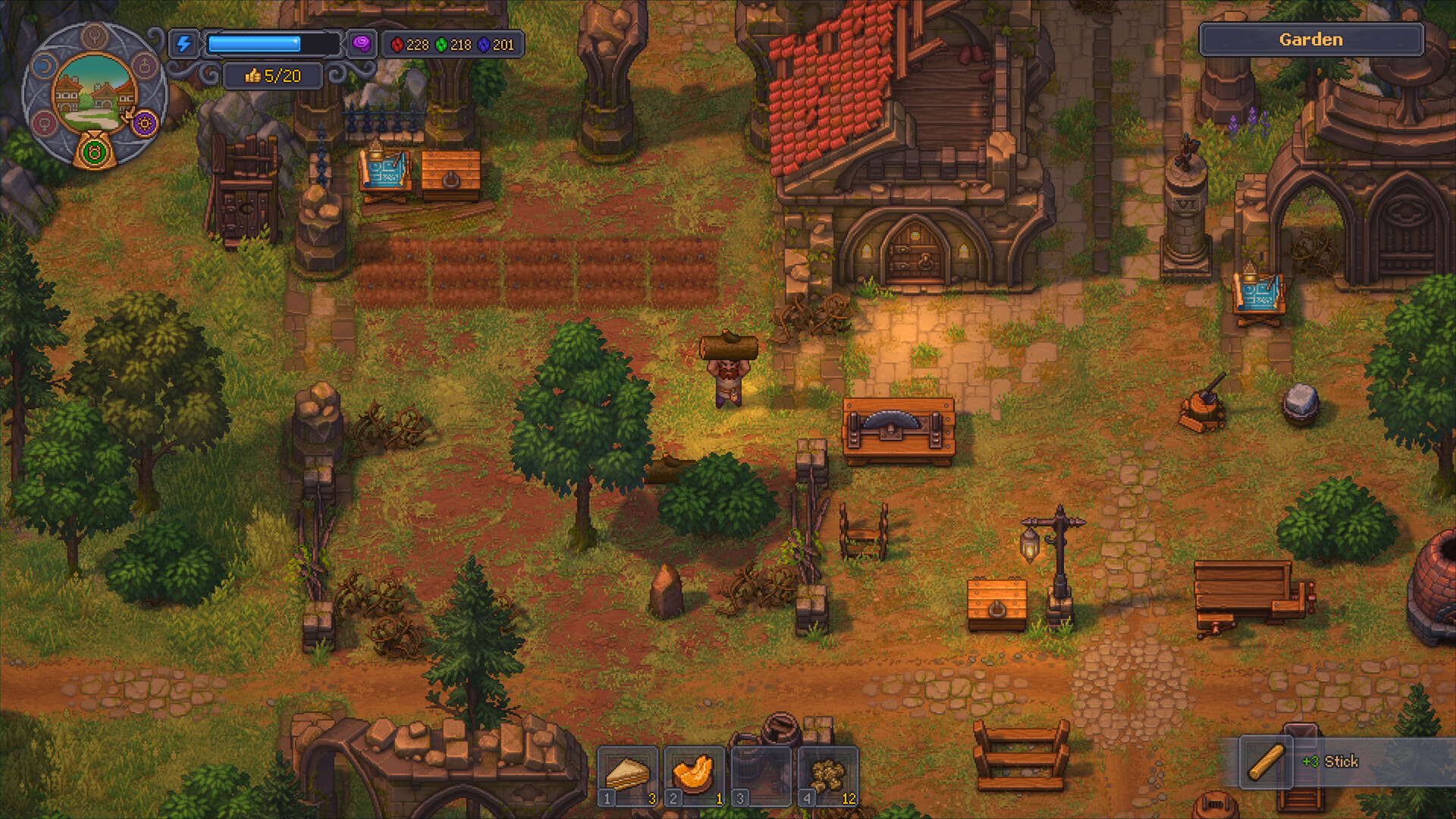
While Graveyard Keeper 2 features a charming, detailed pixel-art style, it is significantly more demanding than its predecessor. The lighting effects, weather systems, and the sheer volume of entities on-screen during the zombie apocalypse scenarios require a dedicated GPU.

Using a card like the GTX 1650 is sufficient for a stable experience, but if you want to capture the game's dark, grotesque aesthetic at higher resolutions, moving toward the RTX 3060 range is recommended.

GPU Comparison for Optimal Performance

GPU Tier Performance Expectation Ideal For
Entry (GTX 1650) Stable 1080p, Standard Settings Casual play, smaller graveyard layouts
Mid-Range (RTX 3060) High 1080p/1440p, Max Settings Large-scale automation, busy towns
High-End (RTX 40-Series) Flawless 4K, Future-Proofing Content creation, smooth recording

Preparing Your Storage and Memory

One of the most frequently overlooked aspects of the Graveyard Keeper 2 system requirements is the storage type. While the game only requires 4 GB of available space, installing it on an SSD (Solid State Drive) rather than an HDD (Hard Disk Drive) is highly recommended.

Why SSDs Win

  • Loading Times: Faster transitions between the graveyard, the town, and the battlefield.
  • Asset Streaming: As you move between different districts, an SSD prevents "pop-in" of textures and objects.
  • Automation Stability: Quicker data retrieval helps the game maintain a consistent tick rate for your automated production lines.

How to Check Your Current Hardware

If you aren't sure if your current machine meets the specs, you can easily verify it. First, check your PC's "About" page in Windows settings to see your CPU and RAM. For your graphics card, open the Task Manager (Ctrl+Shift+Esc), navigate to the "Performance" tab, and look for "GPU."

If your specs are slightly below the minimum, don't despair. You can often improve performance by:

  1. Lowering the resolution scale in the game’s video settings.
  2. Disabling V-Sync if you are experiencing input lag.
  3. Updating your graphics drivers via the official NVIDIA or AMD websites.

Community Tips for a Better Experience

According to player reports on the official Steam community hub, the game is highly optimized for play on various systems, but it can get intensive during the "horde" battle sequences.

Player-Recommended Optimization Checklist

  • Keep it Cool: The game's reliance on CPU simulation can cause temperatures to rise during long sessions. Ensure your PC fans are clean.
  • Clean Installation: If you played the demo, uninstall it completely before installing the full version to avoid file conflicts.
  • Controller Usage: The game features full controller support. Many players find that using a controller provides a more relaxed experience for long-term management tasks.

Frequently Asked Questions (FAQ)

1. Does Graveyard Keeper 2 work on older PCs?

While the Graveyard Keeper 2 system requirements list a 13th Gen Intel Core processor, the game may run on older hardware if you lower the graphical settings. However, performance is not guaranteed on hardware significantly older than the listed minimums.

2. Is 8 GB of RAM enough for the game?

Yes, 8 GB is the recommended amount of RAM. This is sufficient for the game's simulation and background tasks. If you run many other programs simultaneously, upgrading to 16 GB is a good investment for your overall PC health.

3. Can I run the game on a Linux machine?

The official requirements specify Windows 10 (64-bit). While some users might find success using compatibility layers like Proton on Steam Deck or Linux, official support is focused on the Windows platform.

4. Will the game run on a laptop?

As long as your laptop meets the minimum specs, including a dedicated GPU like the GTX 1650 or equivalent, you should be able to run it. Be mindful of laptop thermals and ensure you are plugged into power while playing to maximize performance.

By following these guidelines and checking your Graveyard Keeper 2 system requirements before launch day on September 22, 2026, you will be well-prepared to turn your graveyard into a profitable, undead-powered empire. Happy managing!

Sources and known gaps

    Related Guides

    Switch

    Discover everything about Graveyard Keeper 2 Switch, including the September 22 release date, zombie automation tips, and town rebuilding strategies.

    Steam

    Graveyard Keeper 2 Steam version is coming soon! Discover new automation, zombie armies, and town rebuilding in this grotesque cemetery simulation sequel.

    Switch 2

    Get the latest on Graveyard Keeper 2 Switch 2, including the September release date, new undead army mechanics, and town rebuilding strategies for players.

    Xbox

    Ready to dominate the graveyard? Explore our complete Graveyard Keeper 2 Xbox guide to master automation, combat, and town management for ultimate profit.